

TP-Link
0,00 ₼
| Wi-Fi 6IEEE 802.11ax/ac/n/a 5 GHzIEEE 802.11ax/n/b/g 2.4 GHz |
| AX30005 GHz: 2402 Mbps (802.11ax, HE160)2.4 GHz: 574 Mbps (802.11ax) |
| 3 Bedroom Houses4× Fixed High-Performance AntennasMultiple antennas form a signal-boosting array to cover more directions and large areasBeamformingConcentrates wireless signal strength towards clients to expand WiFi rangeHigh-Power FEMImproves transmission power to strengthen signal coverage |
| HighDual-BandAllocate devices to different bands for optimal performanceOFDMASimultaneously communicates with multiple Wi-Fi 6 clientsAirtime FairnessImproves network efficiency by limiting excessive occupationDFSAccess an extra band to reduce congestion4 StreamsConnect your devices to more bandwidth |
| Router ModeAccess Point Mode |
| SPI FirewallAccess ControlIP & MAC BindingApplication Layer GatewayHomeShield SecurityReal-Time IoT ProtectionMalicious Site BlockerIntrusion Prevention SystemDDoS Attack PreventionHome Network Scanner |
| 1× 5 GHz Guest Network1× 2.4 GHz Guest Network |
| OpenVPNPPTP VPN |
| WPAWPA2WPA3WPA/WPA2-Enterprise |
| 1× Gigabit WAN Port4× Gigabit LAN Ports |
| Wi-Fi/WPS ButtonPower On/Off ButtonLED On/Off ButtonReset Button |
| IPv4IPv6 |
| HomeShieldLearn More> |
| HomeShield Parental ControlsCustom ProfilesProfessional Content Filter LibraryFamily TimeBedtimeOff TimeTime RewardsFamily Online Time RankingPause the InternetWeekly and Monthly Reports |
| Dynamic IPStatic IPPPPoEPPTPL2TP |
| QoS by Device |
| Auto Firmware UpgradeOTA Firmware UpgradeTP-Link IDDDNS |
| Port ForwardingPort TriggeringDMZUPnP |
| IGMP ProxyIGMP SnoopingBridgeTag VLAN |
| Address ReservationDHCP Client ListServer |
| TP-LinkNO-IPDynDNS |
| Tether AppWebpageCheck Web Emulator> |
| Web ServerManage and configure device through web (HTTP/HTTPS)• Port: 80/443 Protocol: TCPDNSDNS• Port: 53 Protocol: TCP & UDPDHCP ServerIP address assignment (DHCP)• Port: 67 Protocol: UDPApp managementManage and configure device through app• Port: 20001 Protocol: TCP• Port: 30001 Protocol: TCP• Port: 20002 Protocol: UDP |
| 10.2 × 5.3 × 1.6 in (260.2 × 135 × 41.6 mm) |
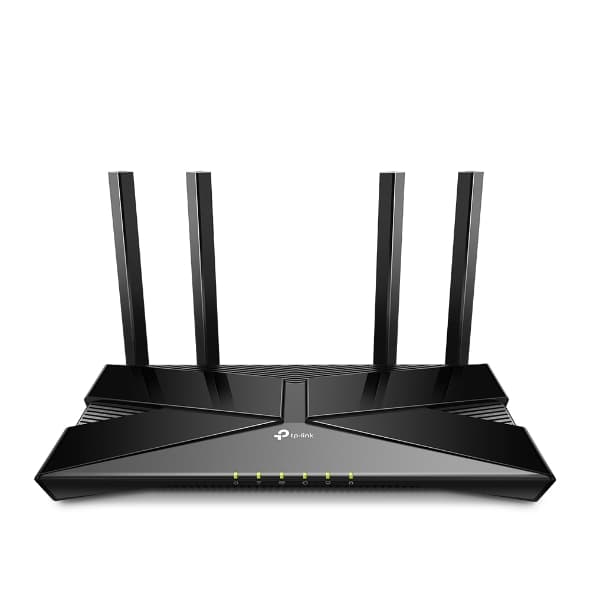
| Wireless Router Archer AX53Power AdapterRJ45 Ethernet CableQuick Installation Guide |
| FCC, CE, RoHS |
| Operating Temperature: 0℃~40℃ (32℉ ~104℉)Storage Temperature: -40℃~70℃ (-40℉ ~158℉)Operating Humidity: 10%~90% non-condensingStorage Humidity: 5%~90% non-condensing |
| 12 V ⎓ 2 A |
| Mesh networking creates smooth, fast, stable roaming. Archer AX53 can flexibly build an EasyMesh network with EasyMesh-Compatible devices, which eliminates Wi-Fi dead zones, expand your network, and fill your entire home with high-speed Wi-Fi. Seamless Wi-Fi connections with one network name, one-click setting and flexible scalability. Learn More> |
| Internet Explorer 11+, Firefox 12.0+, Chrome 20.0+, Safari 4.0+, or other JavaScript-enabled browserCable or DSL Modem (if needed)Subscription with an internet service provider (for internet access) |
| CE: <20dBm (2.4GHz); <23dBm (5.15GHz~5.35GHz); <30dBm (5.47GHz~5.725GHz)FCC: <30dBm (2.4GHz &5.15GHz~5.25GHz&5.725GHz~5.825GHz) |
| 2.4GHz:11ac VHT20_MCS0:-96dBm11ac VHT20_MCS8:-74dB11ac VHT40_MCS0:-94dBm11ac VHT40_MCS9:-70dB11ax HE20_MCS0:-96dBm11ax HE20_MCS11:-66dBm11ax HE40_MCS0:-93dBm11ax HE40_MCS11:-63dBm5GHz:11ac VHT20_MCS0:-97dBm11ac VHT20_MCS8:-75dBm11ac VHT40_MCS0:-94dBm 11ac VHT40_MCS9:-70dBm11ac VHT80_MCS0:-91dBm11ac VHT80_MCS9:-67dBm11ac VHT160_MCS0:-88dBm11ac VHT160_MCS9:-63dBm11ax HE20_MCS0:-97dBm11ax HE20_MCS11:-66dBm11ax HE40_MCS0:-94dBm11ax HE40_MCS11:-63dBm11ax HE80_MCS0:-91dBm11ax HE80_MCS11:-61dBm11ax HE160_MCS0:-87dBm11ax HE160_MCS11:-58dBm |
| Dual-Core CPU |
| OneMesh™ SupportedWithout replacing your existing devices or buying a whole new WiFi ecosystem, OneMesh™ helps you create a more flexible network that covers your entire home with TP-Link OneMesh™ products. Learn More>All OneMesh Products> |